
Global high-mix volume high-speed PCBA manufacturer
9:00 -18:00, Mon. - Fri. (GMT+8)
9:00 -12:00, Sat. (GMT+8)
(Except Chinese public holidays)





HomePage > Blog > Knowledge Base > Understanding Protel PCB: Uses, Benefits, and Limitations
The name Protel PCB is not unfamiliar to many engineers and circuit board designers. As one of the early generations of circuit board design software, Protel has had a significant impact on the way engineers design circuit boards.
In the early days, from amateur electronics enthusiasts creating simple circuit boards to professional PCB designers participating in actual product development, Protel was always used for PCB design and schematic drawing. Even today, Protel PCB still has its own value.
Next, this article will focus on introducing the core functions, main advantages, and limitations of Protel PCB. Let's take a look together!
Protel PCB is an earlier PCB design software mainly used for the design, editing and management of PCBs. Usually, designers use it to transform circuit concepts into producible circuit boards. It can also assist us in completing key steps such as schematic drawing, component placement, routing, and design rule checking.
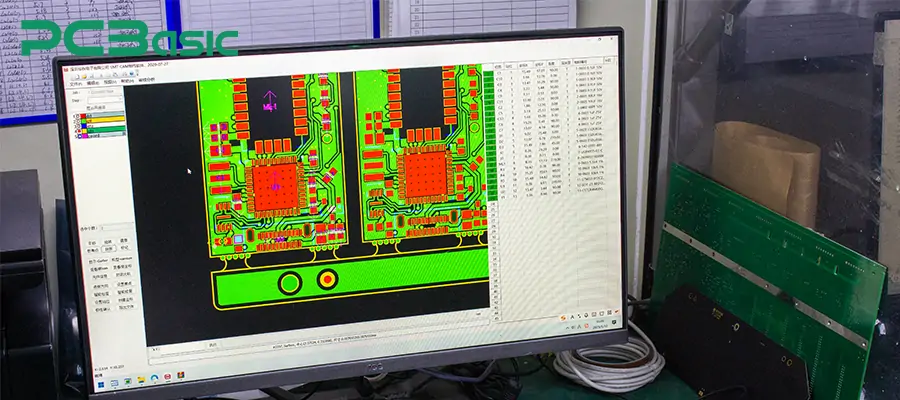
Protel PCB was first released in the late 1980s and was widely used in the 1990s. It was one of the influential PCB design software at that time. It laid the foundation for many PCB design processes and basic methods still in use today. In practical applications, Protel PCB mainly supports:
Schematic drawing and its association with PCB layout
Component placement and routing on single-layer and multi-layer circuit boards
Generation of Gerber files, drill files, and other data required for PCB production
Nowadays, engineers still use Protel PCB to handle old projects. Since many products were originally designed based on Protel, it is necessary to use Protel to deal with them. In this way, they do not have to redesign the circuit boards.

Due to the demands of reality, Protel PCB, which belongs to an earlier generation of design tools, is still in use. The main reasons are:
1. Previously, many industrial, medical and consumer electronic products' PCBs were designed based on Protel PCB. Therefore, when these products need maintenance, revision or problem analysis, engineers must directly view and understand the original Protel PCB files.
2. Many enterprises still retain a large number of Protel format design archives. If it is necessary to open the early schematic diagrams and PCB files, or when the original documents are incomplete, Protel must be used to view them.
3. Some engineers are very familiar with the design process of Protel PCB, and most of them will continue to use Protel PCB.
4. If it is necessary to migrate old projects to modern PCB design, Protel PCB is often an inevitable step. Engineers usually check and organize the original design in Protel first, and then convert the format.
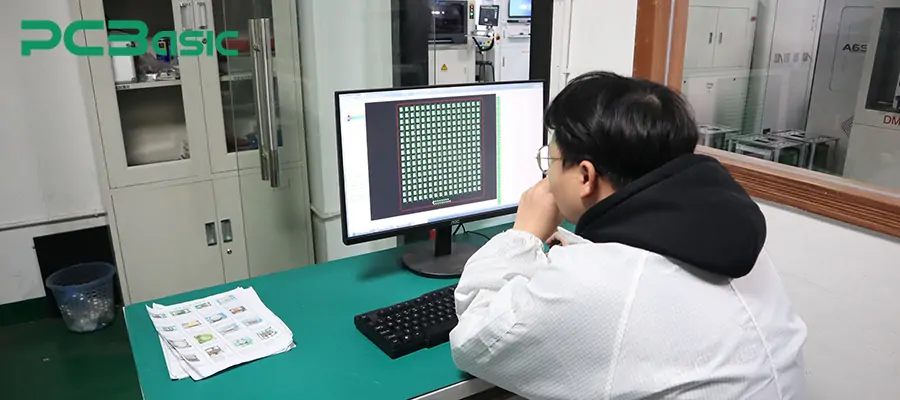
1. The design process centered on schematic diagrams
Protel PCB supports complete schematic drawing functions, which is the foundation of the entire Protel PCB design. This design approach makes the PCB design process clearer and easier to understand and check.
2. Direct Association between Schematic Diagram and PCB Layout
One of the significant features of Protel PCB design software is the direct association between the schematic diagram and the PCB file. After the schematic diagram is completed, the netlist can be imported into the PCB editing environment. This not only ensures the consistency between logical connections and physical routing but also reduces errors caused by manual operations during the PCB design process.
3. PCB Layout and Manual Routing Capabilities
Protel PCB supports component placement and routing operations for single-layer and multi-layer boards. PCB design engineers can manually place components, define board frames, and complete signal routing according to rules. This intuitive manual approach makes Protel PCB design easier to control and verify.
4. Basic Design Rule Checking Function
During the PCB design stage, Protel PCB offers basic design rule checking. It is used to identify common issues such as spacing violations, unconnected nets, or routing conflicts.
5. PCB Production File Output Capability
Protel PCB can generate standard PCB production files, including Gerber files and NC drill files, enabling the design results to directly enter the production stage.
6. Old files can be viewed with Protel PCB Viewer
Engineers often open and view historical PCB files with Protel PCB Viewer without modifying the original design. Protel PCB Viewer allows engineers to view basic layout, routing, and component placement, depending on file version and viewer capability.
7. Can Search Historical Projects
Many engineers access and process early design files through Protel PCB download or compatible tools.
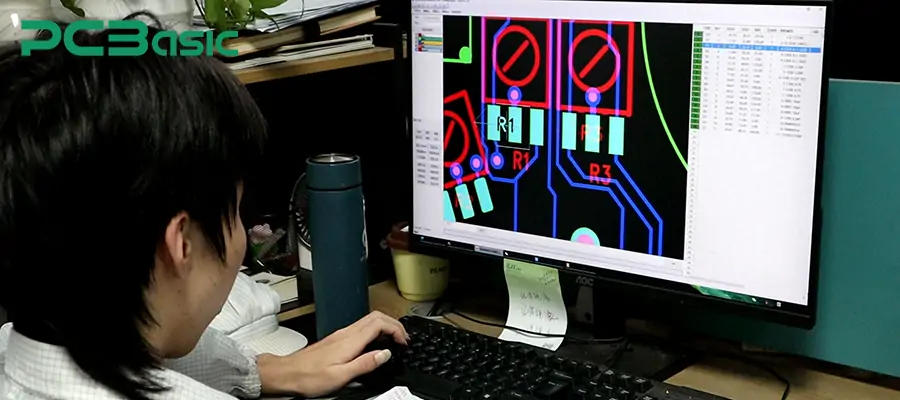
Protel PCB has its advantages as well as its inherent limitations. Understanding its strengths and weaknesses will help us use this tool more effectively.
1. The PCB design process is simple and clear. One of the most prominent advantages of Protel PCB is its intuitive and clear PCB design process. From the schematic diagram to the PCB layout, the conversion logic is very clear. This can enhance the design efficiency for PCB design engineers who focus more on the circuit itself rather than complex automated functions.
2. Strong support for historical PCB projects. In the early days, a large number of electronic products' PCBs were designed using Protel PCB software. Therefore, through Protel PCB design software or Protel PCB viewer, engineers can directly open the old PCB files to view the wiring, component layout, and overall design structure.
3. Suitable for basic and entry-level PCB design. For engineers who are new to PCB design and learning how to design PCBs, Protel PCB covers core aspects such as schematic drawing, PCB layout, and basic rule checking. It does not have overly complex settings, and the learning cost is relatively low.
4. The design behavior is stable and controllable. The Protel PCB design software mainly adopts manual operation. The design behavior is relatively stable and predictable. In simple or low-speed PCB projects, the PCB designer can clearly control each trace and every layout decision. This controllability is very practical when modifying old designs or verifying schemes.

1. The technical architecture and interface are rather outdated. The interface and operation method of Protel PCB design software have a significant gap compared to modern PCB design tools. For complex projects, its overall efficiency and user experience have become unable to meet the current engineering requirements.
2. Not suitable for high-speed, high-density PCB design. Protel PCB offers limited support for modern design requirements such as differential routing, impedance control, and signal integrity analysis, and is thus unable to handle the PCB design tasks of complex electronic products.
3. Insufficient automation and collaboration capabilities. Protel PCB mainly relies on manual operations and lacks support for automated design, version management, and multi-user collaboration.
4. Not suitable as a long-term design platform for new products. For the development of new products that require long-term maintenance, expansion, and compliance with modern manufacturing standards, Protel PCB is no longer an ideal choice.
Overall, Protel PCB still has practical value. However, from the perspective of long-term and complex projects, Protel PCB is more suitable as an auxiliary and reference tool.
Below, from the perspective of practical application, a comprehensive comparison is made between Protel PCB and modern PCB design software. Please refer to the following table:
|
Comparison Aspect |
Protel PCB |
Modern PCB Design Software |
|
Software positioning |
Early-generation Protel PCB design software, mainly for basic PCB design |
Comprehensive platforms for current and future product development |
|
Typical use cases |
Legacy project maintenance, old file review, simple PCB design (design PCB) |
New product development, complex systems, high-speed and high-density PCBs |
|
PCB design workflow |
Clear and manual-oriented, suitable for understanding PCB design fundamentals |
Highly integrated workflow with advanced automation |
|
Schematic–PCB linkage |
Basic schematic-to-PCB association |
Real-time bidirectional synchronization and multi-module management |
|
PCB layout and routing |
Primarily manual placement and routing, limited features |
Automatic routing, differential pairs, length matching, constraint-driven design |
|
Design rules and verification |
Basic DRC, sufficient for simple manufacturability checks |
Advanced rule systems with signal and power integrity analysis |
|
High-speed / high-density support |
Minimal or none |
Full support for high-speed, high-density, multi-layer PCB design |
|
Component library management |
Simple libraries, largely manual maintenance |
Centralized libraries with version control and cloud synchronization |
|
Team collaboration |
Little to no collaboration support |
Multi-user collaboration, permission control, and version tracking |
|
File compatibility |
Native support for Protel formats; relies on Protel PCB viewer for old files |
Can import Protel files, but conversion risks may exist |
|
Legacy file access |
Requires Protel PCB or Protel PCB viewer |
Indirect support through import or conversion tools |
|
Learning curve |
Beginner-friendly for basic PCB design |
Steeper learning curve due to feature complexity |
|
Updates and ecosystem |
No longer actively developed; access mainly via Protel PCB download |
Actively updated with rich ecosystems and plugins |
|
Suitable PCB designer profile |
Engineers maintaining or reviewing legacy designs |
PCB designers working on new products and long-term projects |
1. What are the common file types of Protel PCB?
Protel PCB projects usually consist of schematic files, PCB layout files, and component library files.
2. Does Protel PCB only support single-layer board design?
No. Protel PCB also supports multi-layer board design. However, in terms of layer management and rule control, its functions are relatively basic. When the PCB structure becomes increasingly complex, this limitation becomes more obvious.
3. Are the files designed with Protel PCB still compatible with the current PCB assembly process?
From the perspective of data output, the files generated by Protel PCB can still be used for current PCB production and assembly. However, at the design process level, it lacks the integration capability with modern BOM management, assembly processes, and supply chain systems.
4. What risks should be noted when using Protel PCB files?
Common risks include the absence of component libraries, unclear design rules, and unrecorded implicit assumptions in the early design. When reusing or modifying Protel PCB designs, it is best to spend extra time on verification and confirmation.
Protel PCB holds a unique position in the history of PCB design. It was one of the early PCB design software. It established the design process centered around schematic diagrams and gave rise to many layout and design concepts that are still in use today. Although Protel PCB is no longer capable of meeting the requirements of modern high-speed and high-density PCB design, it still has practical value in aspects such as maintaining old projects, viewing historical files, and understanding basic designs.
Time is money in your projects – and PCBasic gets it. PCBasic is a PCB assembly company that delivers fast, flawless results every time. Our comprehensive PCB assembly services include expert engineering support at every step, ensuring top quality in every board. As a leading PCB assembly manufacturer, we provide a one-stop solution that streamlines your supply chain. Partner with our advanced PCB prototype factory for quick turnarounds and superior results you can trust.
 About PCBasic

Assembly Enquiry
Instant Quote



Phone contact

+86-755-27218592
In addition, we've prepared a Help Center. We recommend checking it before reaching out, as your question and its answer may already be clearly explained there.
Wechat Support

In addition, we've prepared a Help Center. We recommend checking it before reaching out, as your question and its answer may already be clearly explained there.
WhatsApp Support

In addition, we've prepared a Help Center. We recommend checking it before reaching out, as your question and its answer may already be clearly explained there.
