Whether you are a beginner in electrical engineering, a DIY user with some practical experience, or a professional technician engaged in equipment maintenance and testing, it is very important to accurately understand the AC voltage symbol on a multimeter. Only by correctly identifying and using the measurement mode can the accuracy and safety of voltage readings be ensured. Modern multimeters usually have the ability to measure alternating current and direct current. However, if the wrong mode is selected, it may lead to data deviation. In severe cases, it may even cause damage to the instrument or the equipment under test.
This guide aims to systematically explain the meaning of the AC symbol and its usage purposes, and introduce the basic principles of how AC works. At the same time, a brief analysis of the key differences between alternating current and direct current will be conducted to help readers understand their usage methods in different application scenarios. In addition, this article will also explain how to identify the V~ indicator on a multimeter and provide a set of standardized AC voltage measurement steps to enhance the accuracy and operational safety of users during the actual testing process.
By reading this guide, you will be able to correctly identify various functional markings on the multimeter, including the AC voltage symbol, the DC symbol, and other mode switching marks, thereby conducting measurement work more effectively in various electrical test scenarios.
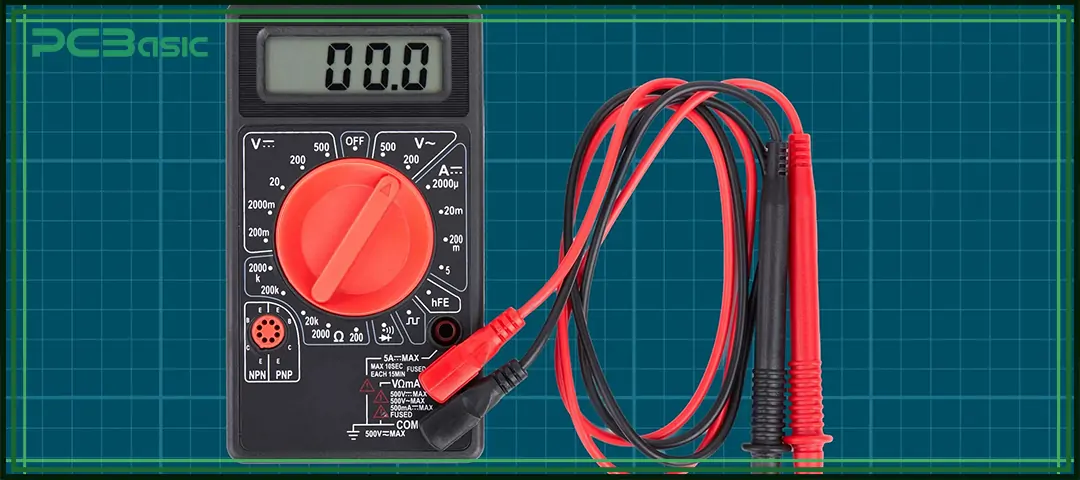
What Is AC Voltage (V~) on a Multimeter?
The AC voltage symbol on a multimeter, usually written as V~, is used to measure the voltage provided by alternating current. Household sockets, factory equipment and most power systems all use alternating current, so this function is very common in daily measurements.
Alternating voltage constantly varies between positive and negative values, forming a repeating waveform. It is precisely because of this periodic change that when a multimeter measures alternating current, it needs to adopt an internal circuit different from that for direct current measurement.
The Standard AC Symbol: “~”
The wavy line "~" is an internationally recognized AC symbol. This symbol originates from the waveform characteristics of AC voltage, indicating that the voltage repeatedly changes in the reverse direction. This is also the core difference between alternating current and direct current.
Common AC measurement symbols include:
• V~: AC voltage (AC voltage)
• A~ or AC current symbol: AC current
• mA~: low-level AC current
Variations of AC Voltage Notation
Multimeters of different brands, models or eras may not use exactly the same marking methods to indicate alternating voltage. Common variations include:
• V~: the most standard notation
• VAC: commonly found on older or analog multimeters
• ~ (a single symbol): used on compact digital meters with limited space
• Display indicators such as “AC” or an AC symbol
No matter which way of writing it is, they all represent the same concept: the AC voltage symbol.
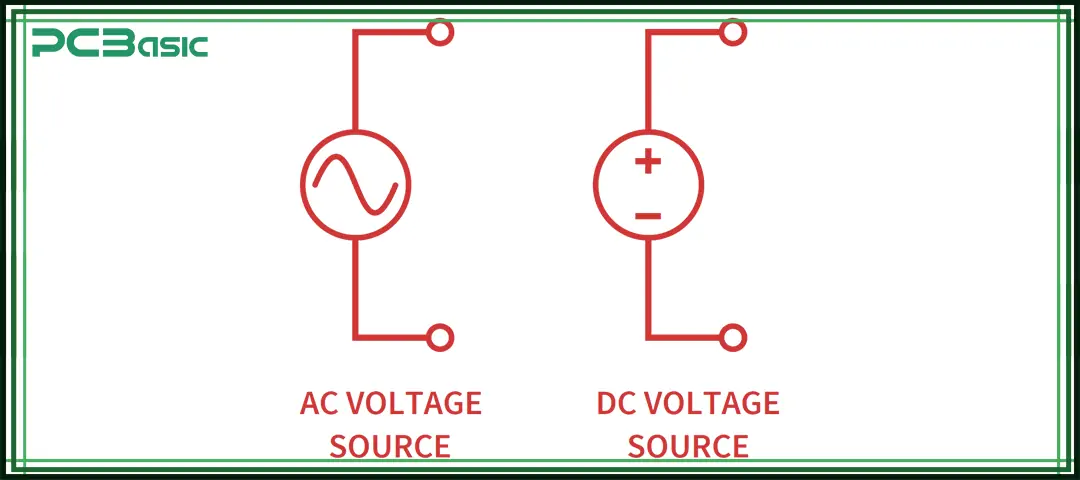
How AC Voltage Differs From DC Voltage
Understanding the difference between AC and DC is an important prerequisite for correctly choosing the measurement mode of a multimeter and avoiding incorrect readings. Although both AC and DC are widely used, they differ significantly in terms of characteristics, application scenarios and measurement symbols.
Comprehensive Comparison of AC and DC
|
Category
|
AC (V~ / ~)
|
DC (V— / ⎓)
|
|
Current Type
|
Alternating current (AC)
|
Direct current (DC)
|
|
Current Flow Behavior
|
Reverses direction periodically
|
Flows continuously in a single direction
|
|
Voltage Characteristics
|
Voltage rises and falls in a waveform, typically a sine wave
|
Voltage is stable and does not change over time
|
|
Operating Principle
|
A coil rotates in a magnetic field inside an AC generator, producing a continuously changing voltage
|
Provides a continuous and stable voltage, such as from a battery or regulated DC power source
|
|
Transmission Characteristics
|
Suitable for long-distance power transmission
|
Not suitable for long-distance transmission due to higher losses
|
|
Typical Applications
|
Household outlets, industrial equipment, HVAC systems, motors
|
Batteries, solar panels, and electronic devices
|
|
Voltage Measurement Symbol
|
V~
|
V— or V⎓
|
|
Current Measurement Symbol (Current Symbol)
|
A~ or AC current symbol
|
A— or mA— (commonly used for DC current)
|
|
Low Current Measurement Symbol
|
mA~
|
mA—
|
|
Multimeter Mode Selection
|
Select V~ to measure AC voltage
|
Select V— to measure DC voltage
|
|
Symbol Characteristics
|
AC symbol ~ (wavy line)
|
DC voltage symbol — or ⎓
|

Where to Find the AC Voltage Symbol on a Multimeter
The position of the AC voltage symbol may vary slightly depending on the design of the multimeter, but it usually appears in the following places.
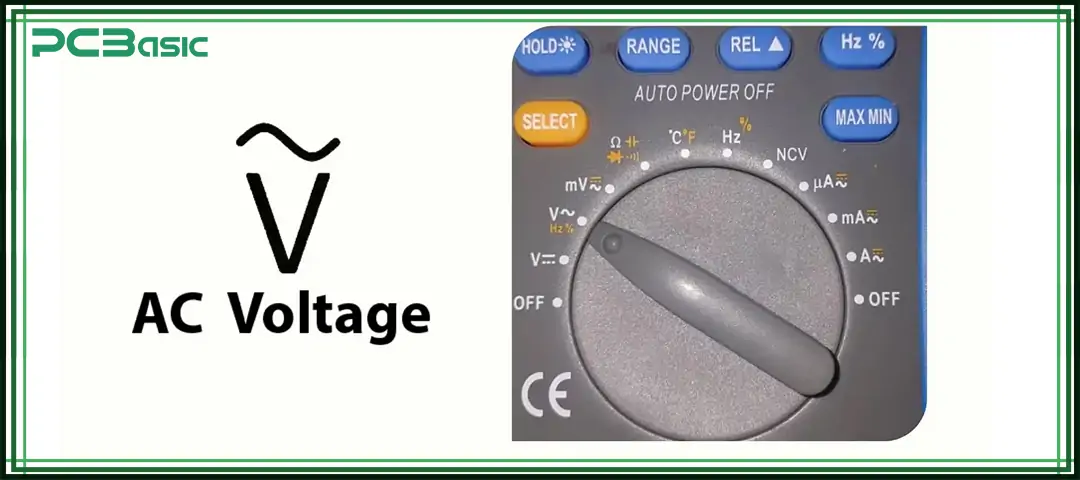
1. On the Dial (Most Common)
On most digital multimeters, the rotary dial is directly printed with "V~". This is the most common and intuitive way of identification. When you turn the dial to V~, the multimeter will enter the measurement mode of alternating current voltage.
2. Through a Mode Button
Some auto-ranging multimeters place AC and DC voltage in the same V range instead of setting V~ and V - respectively. This type of design requires switching between AC and DC via the Mode or Select button. When the word "AC symbol (~)" or "AC" appears on the display screen, it indicates that the instrument has switched to the mode for measuring alternating current.
3. On Analog Meters
Traditional analog multimeters do not use a digital screen but mark AC and DC ranges with text or symbols near the scale and dial area. The labels corresponding to alternating voltage may include:
• VAC
• ACV
• A standalone “~” symbol
When and Why You Should Use the AC Voltage Setting
When the circuit under test is powered by alternating current, the AC voltage symbol on the multimeter should be used for measurement. Typical application scenarios include:
• Household wall outlets
• Industrial three-phase equipment
• Generators and inverters
• HVAC systems
• Transformers
• AC power adapters
• Motor-driven machinery
If the AC range is used for testing in a direct current system, then zero, unstable or meaningless readings are usually obtained, which further demonstrates the significance of understanding the difference between alternating current and direct current for the correct selection of measurement modes.
About PCBasic
Time is money in your projects – and PCBasic gets it. PCBasic is a PCB assembly company that delivers fast, flawless results every time. Our comprehensive PCB assembly services include expert engineering support at every step, ensuring top quality in every board. As a leading PCB assembly manufacturer, we provide a one-stop solution that streamlines your supply chain. Partner with our advanced PCB prototype factory for quick turnarounds and superior results you can trust.
How to Measure AC Voltage Correctly
Measuring AC voltage is not complicated and you can just follow the standard steps. The following instructions can help you avoid common mistakes and ensure accurate and safe readings.
Step 1 — Set the Dial to V~ (AC Voltage)
Turn the rotary switch to V~ or the position with AC symbol (~), which indicates that the multimeter enters the AC voltage measurement mode. If your multimeter sets the AC and DC voltages at the same range, you need to press the Mode or Select button to switch until the AC indicator appears on the screen.
Step 2 — Insert Test Leads Properly
Insert the black test leads into the COM and the red test leads into the VΩ.
Step 3 — Choose the Correct Range
If you are using a manual-range multimeter, the range should be set to the range one level above the voltage being measured. For example, when measuring a 230V socket, the 600V range should be selected.
If you use an auto-range multimeter, the instrument will automatically match the appropriate range without the need for manual adjustment.
Step 4 — Probe the AC Source Safely
Touch the test probes to the two connection points:
• For an outlet → line and neutral
• For equipment terminals → follow the manufacturer’s guide
Step 5 — Read and Interpret the Value
The display will show an RMS voltage—typically:
• 120V (North America)
• 230V (Europe/Asia)
Small fluctuations are normal.
Other AC-Related Symbols You May See
The AC voltage symbol often appears alongside:
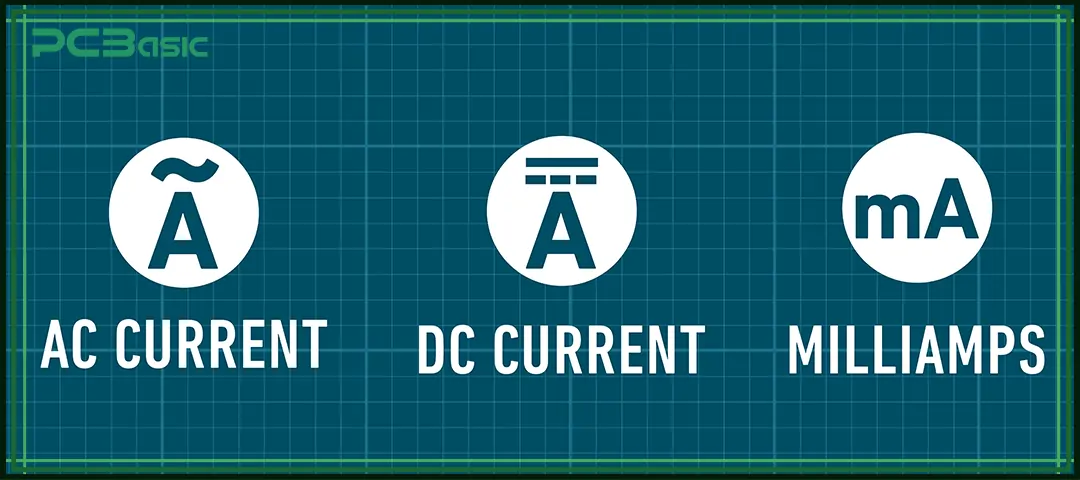
1. A~ — AC Current Symbol
For measuring AC current rather than voltage.
2. mA~ — Low AC Current
Useful for measuring signal-level or low-power AC.
3. TRMS (True RMS)
Indicates the meter can measure distorted AC waveforms accurately—a must for inverters, motors, and variable-speed drives.
Knowing these symbols ensures proper use of your multimeter across all kinds of electrical systems.

Conclusion
Understanding the AC voltage symbol is of great significance to all those engaged in electrical system-related work. Because alternating current and direct current work in different ways, they must use their respective measurement modes. Choosing the correct voltage symbol can prevent misjudgment, protect the equipment, and ensure the accuracy and reliability of the measurement results.
Whether you are measuring household sockets, checking the operation of equipment, or troubleshooting electrical faults, switching to V~ can ensure that you accurately measure AC voltage. Identifying AC symbols, understanding how AC works, and mastering the differences between AC and DC can all help you give full play to the functions of the multimeter. And operate safely in various environments.
FAQs
1. What is the AC voltage symbol on a multimeter?
The AC voltage symbol is V~, representing alternating current voltage.
2. What does AC mean?
AC stands for alternating current, which reverses direction periodically.
3. What does DC mean?
DC stands for direct current, represented by the DC voltage symbol (— or ⎓).
4. Can I measure a battery using AC mode?
No. Batteries use DC and must be tested using the DC voltage symbol setting.
5. Why does my multimeter show 0 when measuring AC?
You're likely using DC mode. Switch to V~, the correct AC symbol, to measure AC systems.
6. How does AC work?
AC works by generating a voltage that alternates direction, forming a sinusoidal waveform.
7. What’s the difference between AC and DC?
AC alternates direction; DC flows steadily. The difference between AC and DC is critical for selecting the right multimeter mode.