Nowadays, mechanical keyboards are no longer merely simple input tools. For many people, it has become a device that they use for a long time, continuously refined, and reflects their personal style. Whether they are programmers, engineers, or heavy typists, more and more people are beginning to think about how to build a keyboard in order to truly conform to their own usage habits.
Compared with directly purchasing prebuilt keyboards, the greatest advantage of building your own keyboard lies in controllability. A custom mechanical keyboard, from layout to feel, from sound to appearance, every detail can be selected and adjusted according to one's own needs. This is why more and more people are beginning to try DIY keyboards and gradually enter the world of custom mechanical keyboards.
This article will start from scratch, combining the actual assembly process and common beginner questions, and clearly explain how to build a keyboard. Even if you have never touched a PCB and have no soldering experience, you can still complete your own keyboard step by step through this guide.
Understanding the Anatomy of a Mechanical Keyboard
Before actually starting to build, we need to first understand what mechanical keyboard parts make up a keyboard. This is the first step in learning how to build a keyboard.
Keyboard Case
The case is the outer "shell" of the keyboard. All components are installed inside it. It not only determines the size and appearance of the keyboard, but also affects the weight and sound of the keyboard. It is the basis of the customized keyboard.
When building a custom keyboard, the case has a very obvious influence on the overall rigidity and sound style of the keyboard.
Printed Circuit Board, PCB
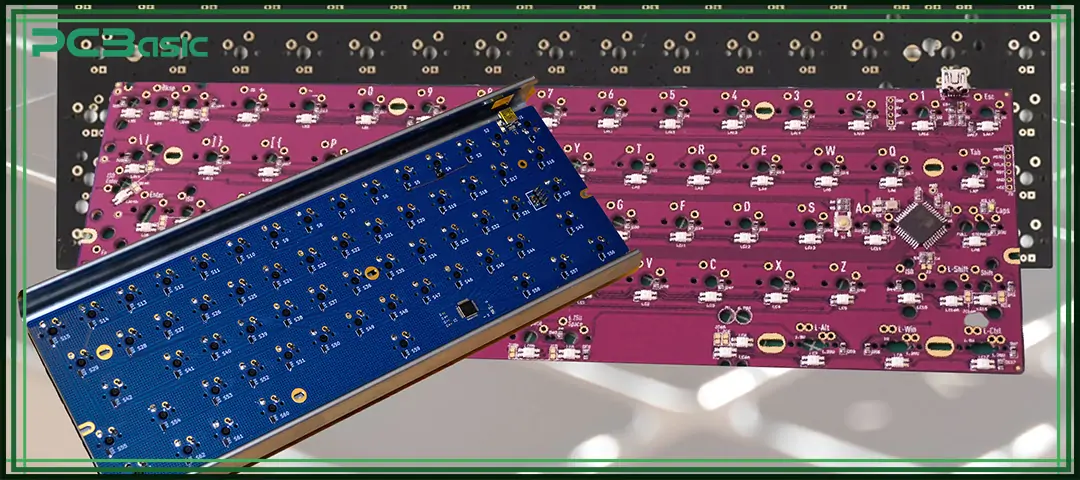
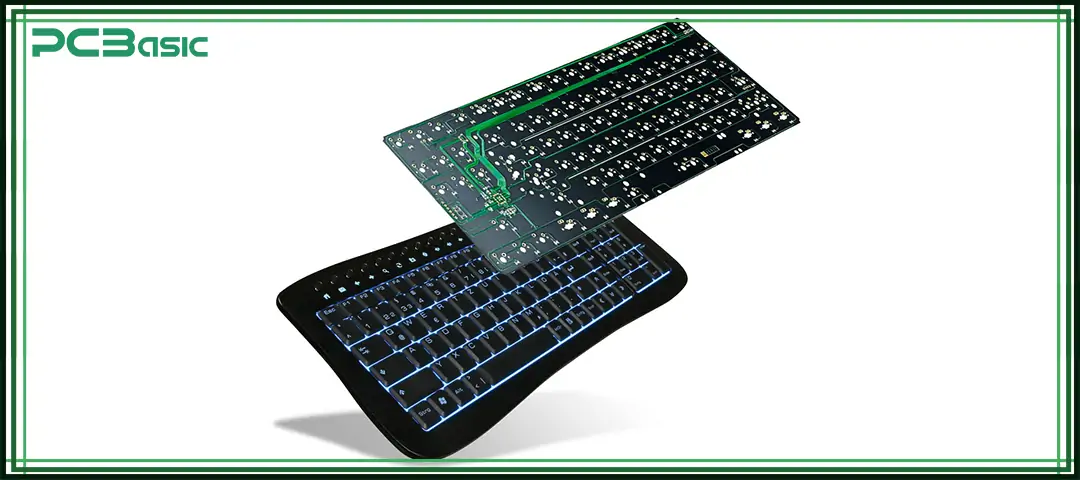
The PCB can be understood as the electronic core of a keyboard. All switch signals will be transmitted to the computer through the PCB, and at the same time, it also determines the key layout and functional support of the keyboard.
Plate
The plate is located between the PCB and the switches. Its main function is to hold the switches firmly in place so they don't move or wobble. The material of the plate will directly affect whether the keyboard feels hard or soft when typing, as well as whether the sound is higher-pitched or deeper.
Stabilizers
The stabilizer is mainly used for large keys such as spacebar, Enter, Shift, and Backspace. If the stabilizer is not tuned properly, these keys will shake, make noise and have an inconsistent feel.
Switches
The switch determines the direct feedback when you press the keyboard and is the part that best reflects personal preferences in a custom mechanical keyboard.
Whether the switch body is selected appropriately or not will directly affect whether your DIY keyboard is comfortable to use.
Keycaps
Keycaps are the parts that your fingers touch directly, which can affect typing feel, sound and overall appearance style.
For most people, keycaps are usually the first part to be replaced when customizing your own keyboard and the part that is most likely to show changes.

Choosing the Right Keyboard Layout (Size & Use Case)
When learning how to build a keyboard, one of the earliest decisions to be made is to choose the appropriate keyboard layout.
Common Keyboard Layouts
• 60% – Compact, no arrow keys
• 65% – Compact with arrows
• 75% – Compact with function row
• TKL (Tenkeyless) – No numpad
• Full-size / 1800 – Includes numpad
How to Choose the Best Layout for You
Before deciding on the keyboard layout, we can consider choosing a suitable circuit board layout based on our actual usage habits
• Do you often use arrow keys in your daily work or gaming?
• Do you rely on function keys (F1–F12) every day?
• Is desk space limited, and do you need more room for your mouse?
• Will the keyboard be used mainly for gaming, coding, or general typing?
There is no absolutely better or worse among different layouts. The key lies in whether they suit us. When we just start learning how to make a custom keyboard, there is no need to pursue overly extreme sizes. For most beginners, a 65% or 75% layout is easier to strike a balance between functional integrity and volume, and is also more suitable as a first-time attempt.

Keyboard Feel & Sound: What Actually Affects Them
Many beginners think that the feel and sound of a keyboard are only related to the switches. But in the actual process of building a keyboard, you will find that the final sound and feel are determined by multiple parts together, rather than relying on a single component alone.
Case Material & Acoustics
Generally speaking, the heavier the case is, the less vibration it will generate when typing, and the cleaner the sound will be. The lighter the case is, the more obvious the resonance will be and the sound may be more hollow. If you are building a custom mechanical keyboard that focuses on sound performance, the material and structure of the case are often more important than you might think.
Mounting Styles Explained
The mounting structure determines how the plate and PCB are fixed in the case. Different structures will bring about significantly different typing feels. When building your own keyboard, the choice of mounting structure will directly affect the feel when you type every day.
Plate Materials and Their Impact
You can think of plate materials in a simple way:
• The stiffer the plate, the higher and crisper the sound
• The softer the plate, the deeper and fuller the sound
For those who are learning how to build a keyboard for the first time, aluminum or FR4 plates are usually more reliable and less likely to fail.
About PCBasic
Time is money in your projects – and PCBasic gets it. PCBasic is a PCB assembly company that delivers fast, flawless results every time. Our comprehensive PCB assembly services include expert engineering support at every step, ensuring top quality in every board. As a leading PCB assembly manufacturer, we provide a one-stop solution that streamlines your supply chain. Partner with our advanced PCB prototype factory for quick turnarounds and superior results you can trust.
Choosing a PCB: Hot-Swap vs Soldered
When learning how to make a keyboard, the choice of the PCB is very crucial. It will directly affect the assembly difficulty and the later usage experience.
A hot-swap PCB is a type of keyboard circuit board that does not require soldering. The switch can be directly plugged into the socket on the PCB. It is easy to install and remove, suitable for repeated replacement of the switch, and is easier for beginners to handle.
A soldered PCB, on the other hand, requires the switch to be soldered onto the circuit board one by one. The switch pins must be fixed with solder to work properly. This approach has a more solid structure but more operation steps, and is more suitable for users who are already familiar with how to build a keyboard and want higher controllability.
Hot-Swap PCB vs Soldered PCB Comparison
|
Feature
|
Hot-Swap PCB
|
Soldered PCB
|
|
Soldering Required
|
No
|
Yes, each switch must be soldered
|
|
Build Difficulty
|
Low, very beginner-friendly
|
Higher, requires soldering skills
|
|
Switch Replacement
|
Easy, switches can be changed anytime
|
Difficult, requires desoldering
|
|
Build Speed
|
Fast
|
Slower
|
|
Tools Needed
|
Minimal tools
|
Soldering iron, solder, and tools
|
|
Long-Term Stability
|
Stable for daily use
|
More solid and durable
|
|
Layout Flexibility
|
Layout is usually fixed
|
More layout options
|
|
Best For
|
DIY keyboard beginners
|
Advanced or high-end builds
|
|
Typical Use Case
|
Quick builds, testing switches, first builds
|
Custom mechanical keyboards with higher control
|
Step-by-Step: How to Build a Mechanical Keyboard
This part will follow the actual build process and explain how to build a keyboard step by step.
Step 1: Test the PCB
Before assembly, first connect the PCB to the computer and use VIA or similar software to test whether each switch contact is normal. When building a custom keyboard, skipping this step is one of the most common and most likely to lead to rework mistakes for beginners.
Step 2: Install and Lubricate Stabilizers
First, lubricate the stabilizers to reduce noise and wobble. Then, before installing the switch, fix the stabilizer to the PCB.
Step 3: Install Plate and Switches
Place the plate on the PCB, align it, and then install the switches one by one. If a hot-swap PCB is used, when installing the switches, support the socket on the back of the PCB to avoid damage caused by improper force.
Step 4: Soldering – If Required
If you are using a soldered PCB, it is important to ensure that both the pads and switch pins are heated simultaneously to avoid cold joints, and carefully inspect every solder point after finishing.
Step 5: Assemble the Case
According to the keyboard structure, first install the foam, gasket or daughterboards first, and then install the PCB and plate assembly as a whole into the housing. During the installation process, pay attention to the cables and screws.
Step 6: Install Keycaps and Final Test
Finally, install the keycaps and test all keys again to ensure all the keys are working properly. By completing this step, you will truly experience the outcome of how to build a keyboard.
Common Beginner Mistakes
When learning how to build a keyboard, beginners often:
• Skip PCB testing
• Ignore stabilizer tuning
• Mix incompatible parts
• Overtighten screws
• Expect perfection on the first build
Remember: every DIY keyboard build is a learning experience.
Get a Keyboard PCB or PCBA from PCBasic
If you plan to move from pure interest in building to a more professional stage and start to need professional-grade keyboard PCBs or PCBA, then choosing a reliable manufacturer is very important.
Whether you are designing a custom mechanical keyboard, hoping to expand the product from the prototyping stage to mass production, or developing a customized keyboard for a brand or specific product, PCBasic can provide keyboard PCB manufacturing and PCB assembly services, and is equipped with engineering support, stable quality control and scalable production capacity.
For designers and teams who wish to assemble a custom keyboard at a more professional level, PCBasic supports both small-batch trial production and large-scale mass production.

Conclusion
Learning how to build a keyboard is not about pursuing perfection in one go, but rather a process of constantly understanding the structure, making reasonable choices, and enjoying the process.
A custom mechanical keyboard can truly reflect your usage habits and personal preferences, which is difficult for any ready-made keyboard to achieve. Whether you are trying out a DIY keyboard, making your own keyboard for the first time, or planning to customize your own keyboard in a more professional way, this entire process was well worth it.
Start with the simple and do it with confidence. Remember, every excellent keyboard starts from the first attempt.